Clear finances. Private by default.
Flowdget sorts your transactions and shows where your money goes. Everything stays on your iPhone — no account, no servers.
iOS 15 or later

100% local, for real
Your transactions never leave your device. No cloud, no backend, no API watching what you spend.
Otto sorts for you
Auto-categorization learns your habits with every import. For the rest, focus mode lets you sort transactions one tap at a time.
Charts that actually say something
Sankey income → categories → savings, a spending heatmap calendar, cumulative savings curves, expense distributions. You finally see what's going on.
Encrypted end to end
AES database (SQLCipher) locked behind your iPhone passcode. Lost phone equals unreadable data.
From bank statement to insights, in 3 steps



Export your CSV
Every European bank lets you export your statements as CSV. A few taps in your banking app.
Import into Flowdget
Drop the file into the app. Otto auto-detects the columns — date, label, amount.
Sort + visualize
Sort your transactions once, Otto learns. On the next CSV, he already suggests the right categories.

Otto walks with you through sorting. He learns your categories, suggests matches, and you always have the last word.
All your money, clear
Six charts built around real questions, not visual filler.
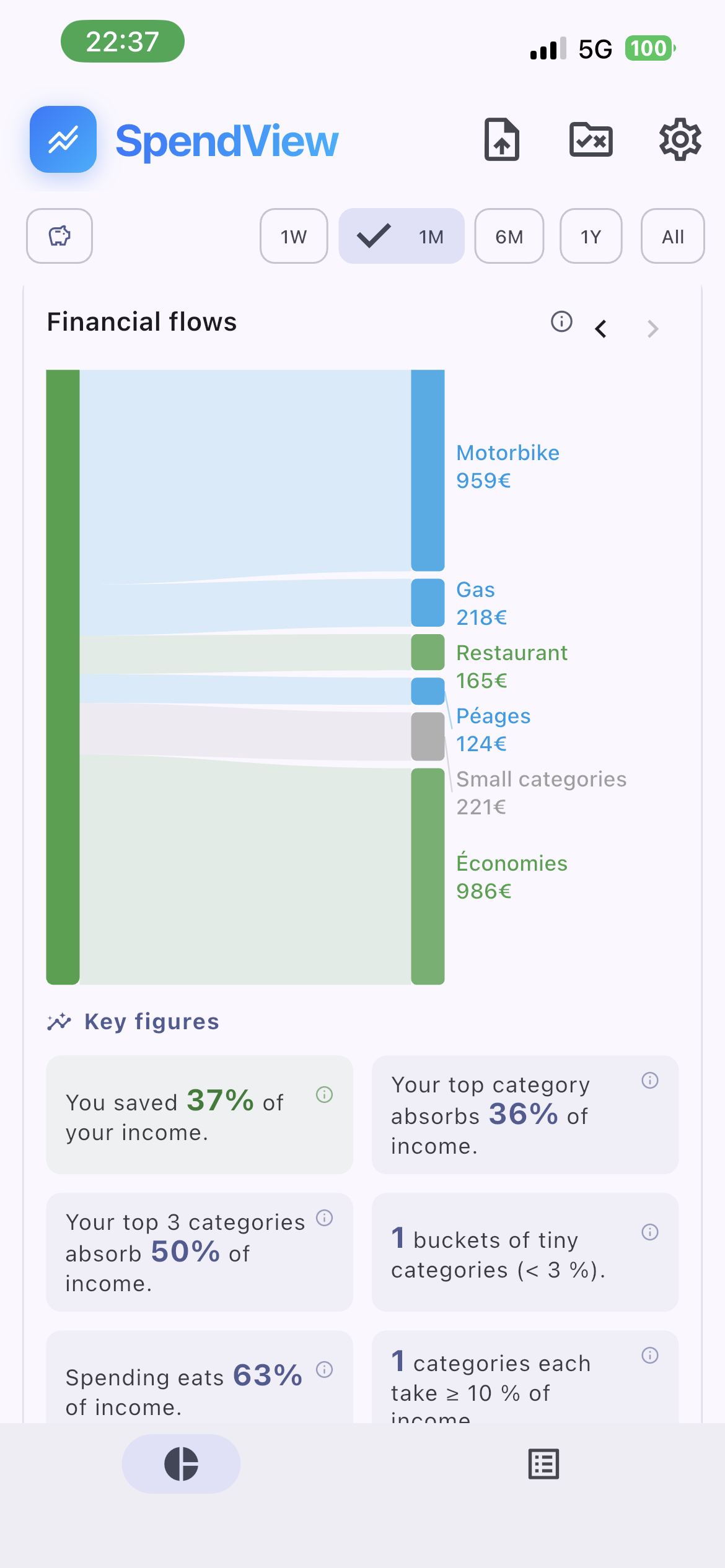
The full flow
A Sankey diagram from your income to every spending category, savings included.
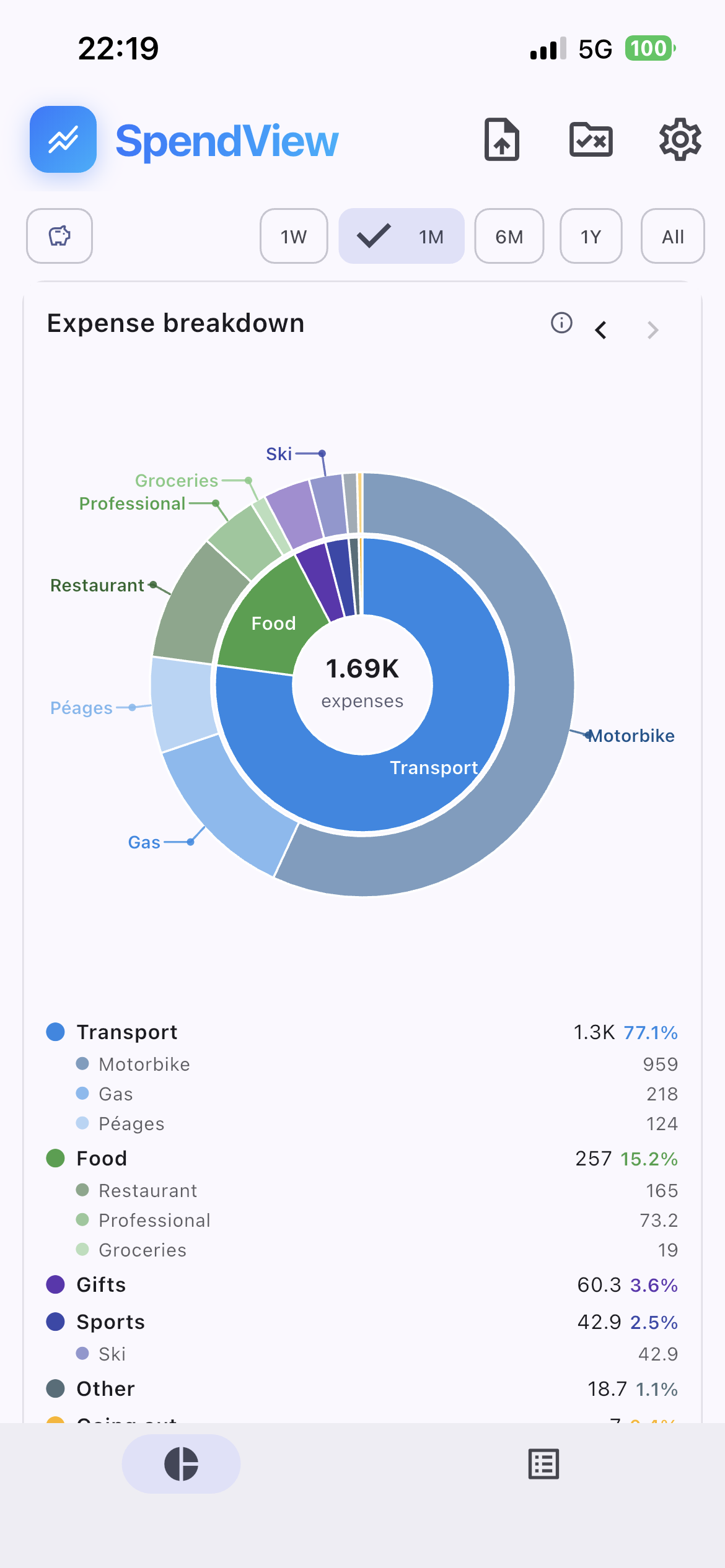
Where your money goes
Spend split by category, sub-categories included. One glance tells you which area is drifting.
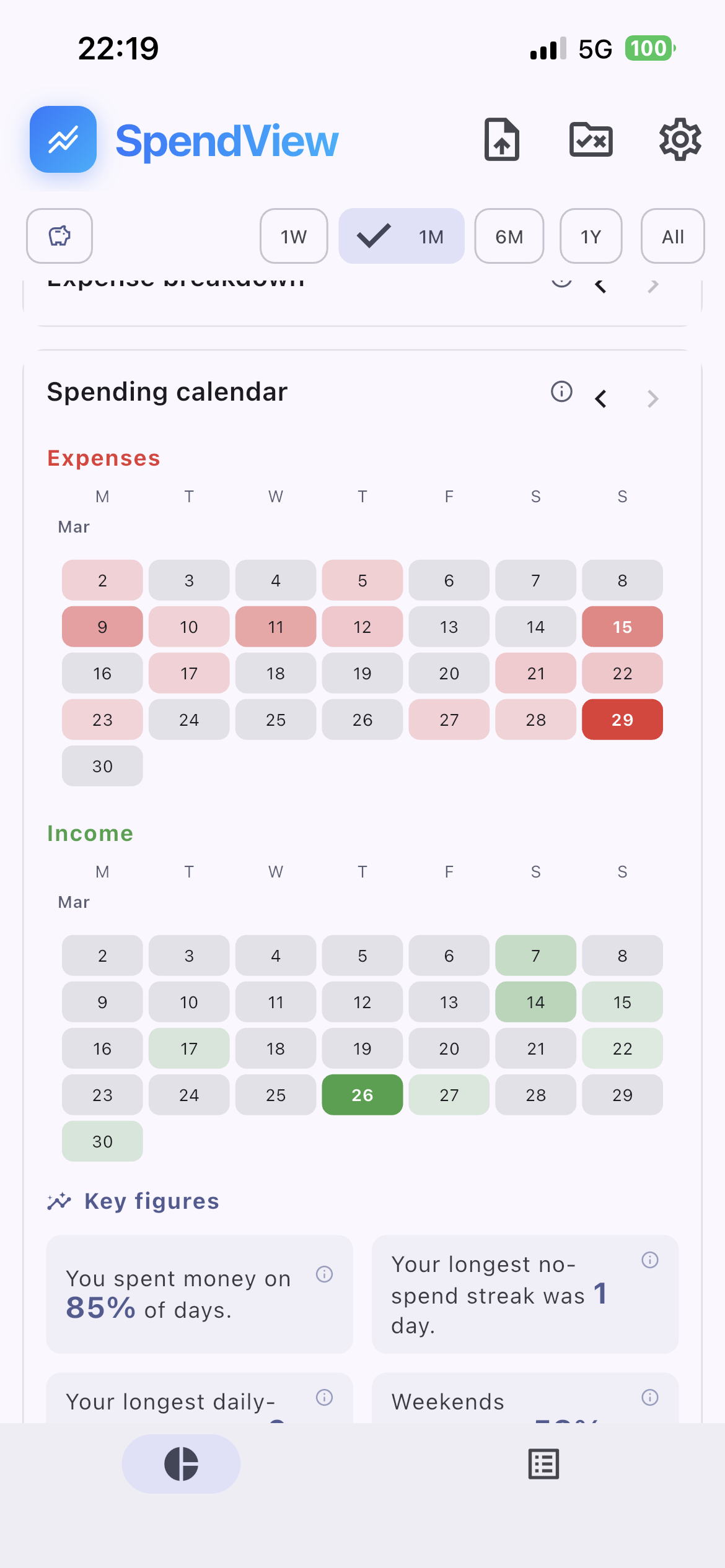
Your red and green days
A spending calendar — where it bites, where it breathes. Plus your no-spend streak records.
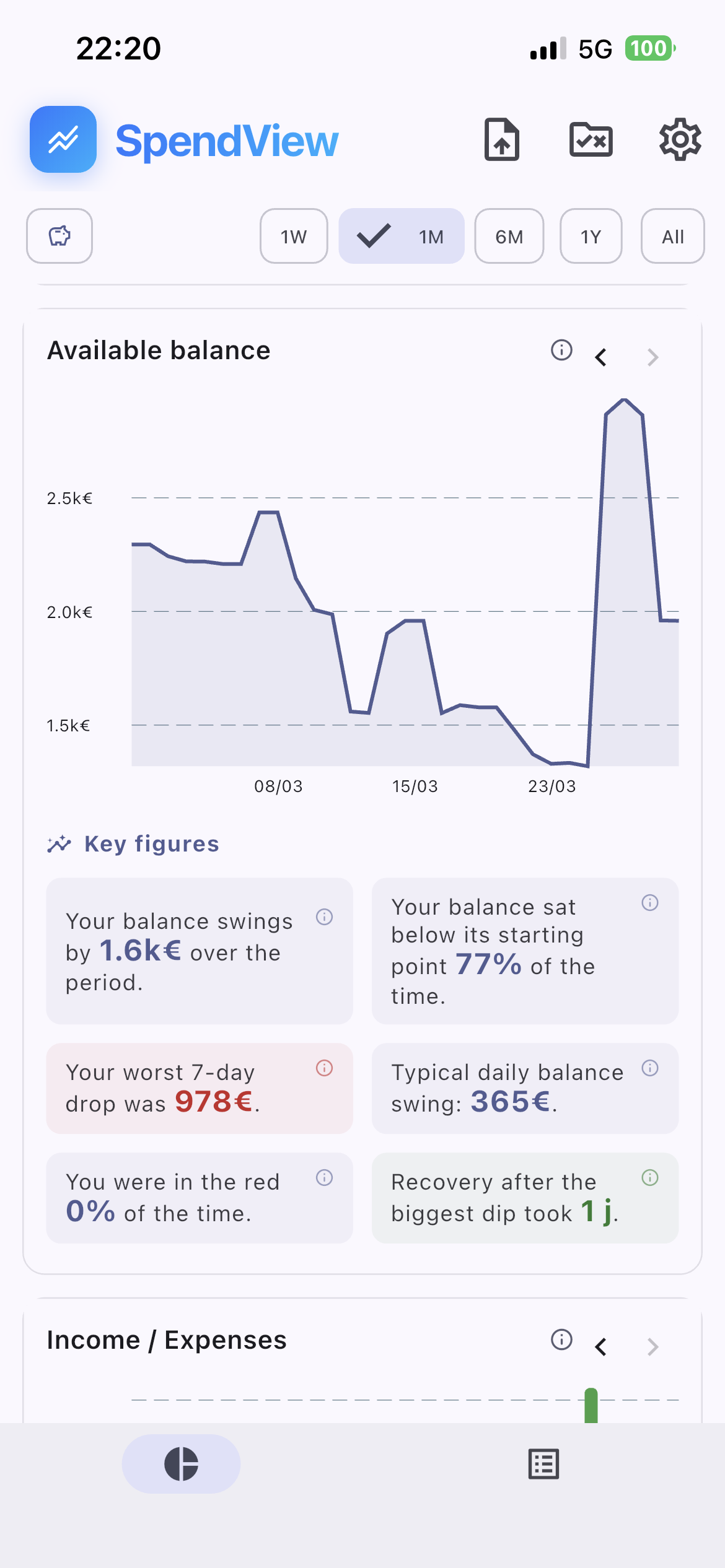
Your balance over time
Your available balance plotted over the period, with drops and recoveries quantified.
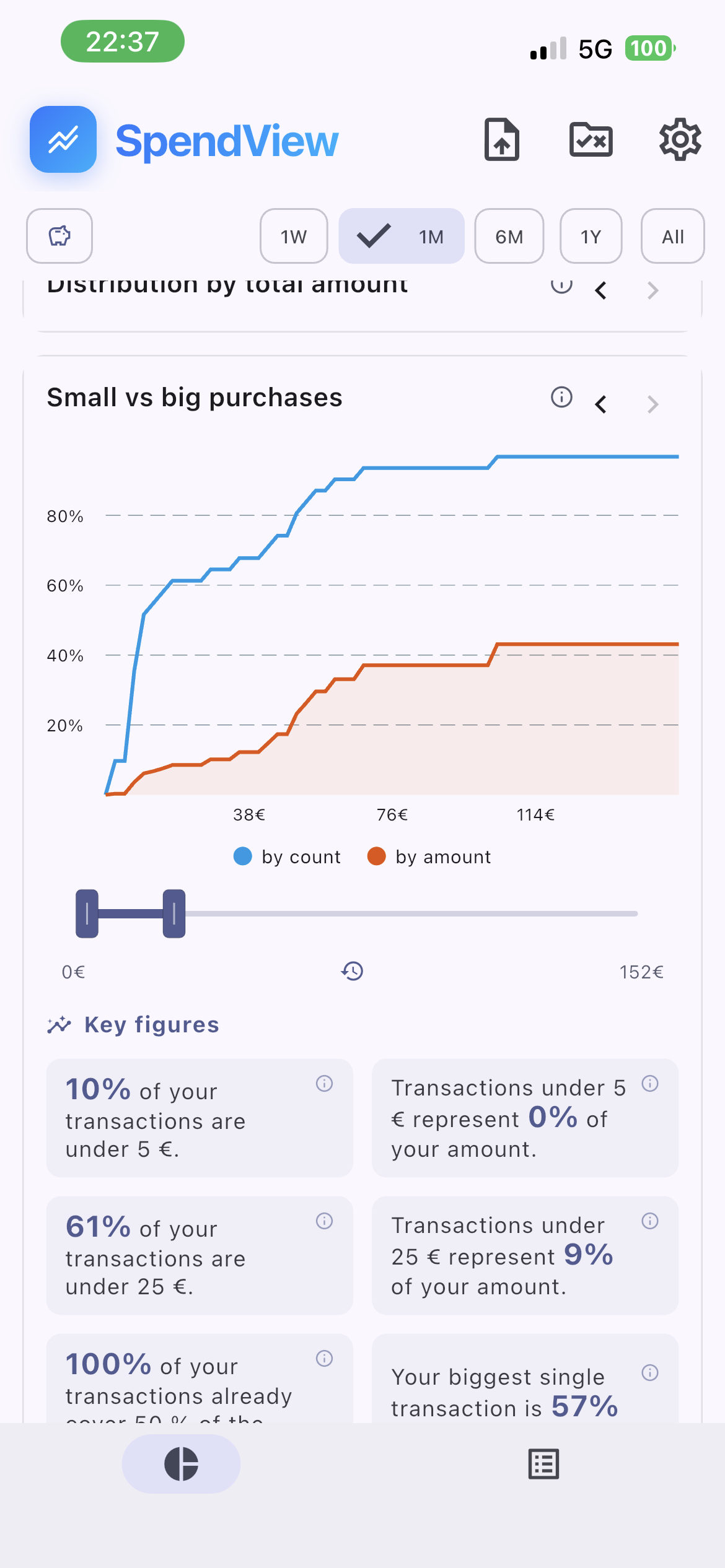
Your spending habits
Lots of small buys or a few big hits? The distribution shows your real profile.
Pick your plan
Try it free, no card needed. Upgrade only if you actually like it.
- ✓Up to 400 transactions
- ✓5 manual rules
- ✓Essential charts
- ✓Unlimited transactions
- ✓Unlimited rules
- ✓All charts unlocked
- ✓One-time purchase, no subscription ever
- ✓Same as Lifetime
- ✓Cancel anytime
Frequently asked questions
Where is my data stored?
Only on your iPhone, in an encrypted database. Nothing is sent to a server — there isn't even a server to send it to.
Which banks are supported?
Any bank that lets you export a CSV statement, which is almost all of them. You download the file, Flowdget handles the rest.
Do I need to create an account or subscribe?
No. No account, no email required. The free tier is enough to get started, and Premium stays optional.
What do you do with my bank data?
Nothing. We never see it. It stays encrypted on your iPhone, end of story.

Take your money back in hand
Download Flowdget, import one statement, and judge for yourself in five minutes.
Available on iPhone · iOS 15 or later